Workbench
The primary Wardwright workbench lives at /admin. It is the operator
surface for choosing a registered Wardwright model, loading a simulation
fixture, editing caller input, backend model output, retry attempts, and then
stepping through the resulting policy run.
The workbench includes an example model library for toy routing, composition,
retry, and rewrite policies. Old /policies links now redirect to /admin so
there is only one operator workbench surface.
Loopback access is allowed by default. If the workbench is exposed beyond local
operator access, set BASIC_AUTH_PASSWORD; the Basic Auth username is always
admin.
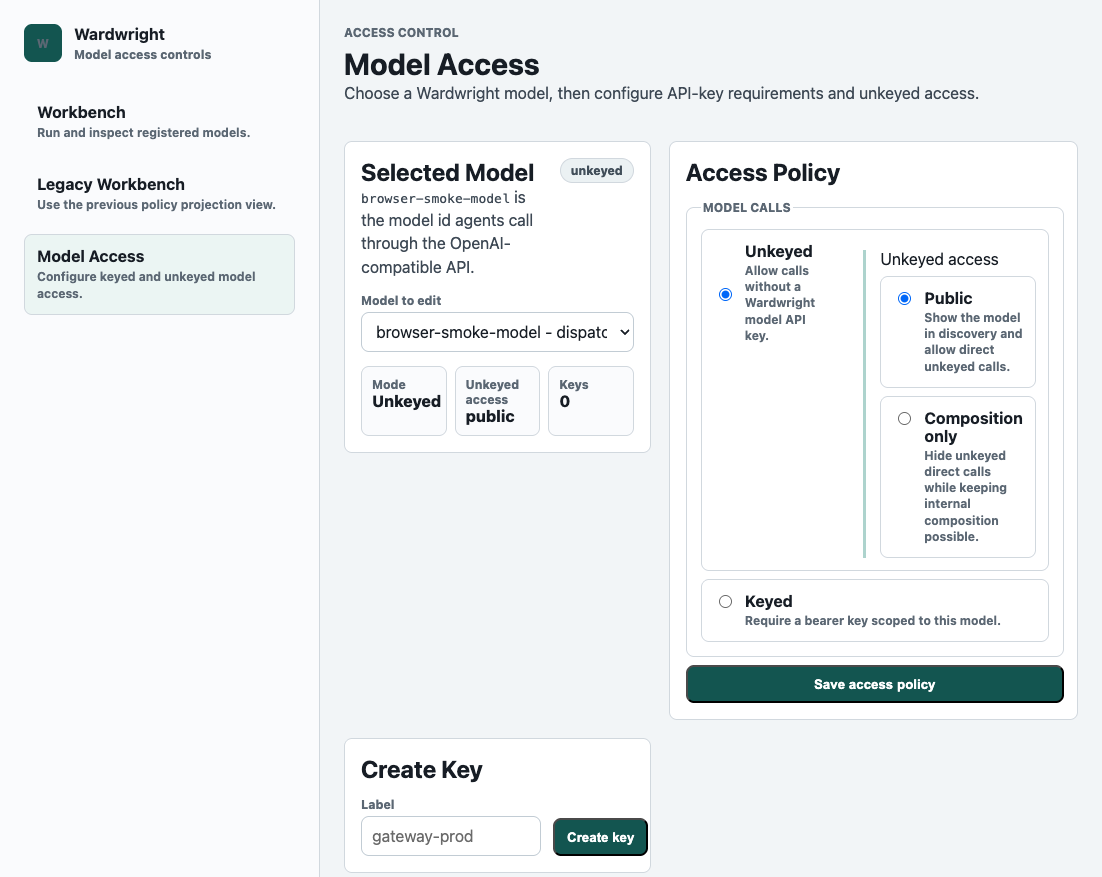
The Models & access view is part of the same protected /admin shell. It can
select any registered model, generate and revoke model-scoped API keys for it,
edit whether that model is keyed or unkeyed, and choose the model-scoped replay
capture mode. Those keys authorize model calls only when the model artifact
sets requires_api_key to true; unkeyed models remain public or
composition-only according to auth.unkeyed_model_access. Replay capture is
metadata-only by default; vcr.mode: full_session is an explicit debugging mode
that stores full request and provider response payloads in receipts.
Models & access can also archive a registered model, which removes it from
model discovery and routing while preserving the model artifact in SQLite.
Archived models live behind a collapsed section where operators can restore the
artifact or hard-delete it when recovery should no longer be possible.
The deterministic model artifact remains the source of truth. The workbench is the review surface for understanding how that artifact compiles into routes, state changes, stream guards, retries, tool controls, output changes, and receipts.
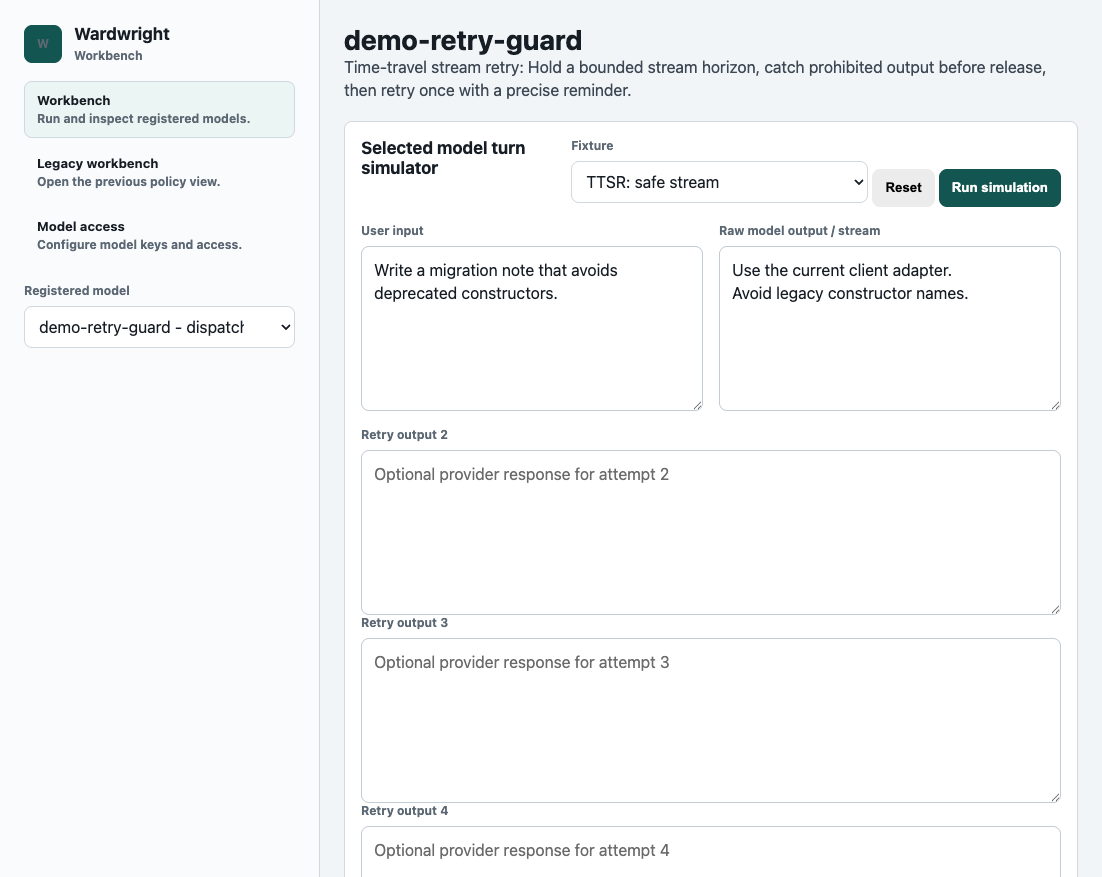
Simulator
The simulator follows one model call through Wardwright's boundaries:
- Raw caller input and the input sent to the backend model.
- Backend model output or stream chunks and the output released to the user.
- Retry-attempt outputs when the selected model allows retries.
- Route selection, state transitions, stream rewrites, tool decisions, and receipt events.
The registered-model selector controls the artifact being simulated. The fixture selector loads reusable user/model output pairs into controlled fields so the visible inputs always match the selected fixture. Editing any field marks the turn custom until it is reset or another fixture is selected.
The diagram focus selector lives with the behavior map because it controls the possible states, trace evidence, and scenario list for the selected model.
Models & Access
The Models & access page uses the same operator shell. It is intentionally
paired with the workbench because it controls whether a registered model can be
called directly without a model-scoped API key and whether receipts capture
metadata-only or full-session replay payloads. It also owns model lifecycle:
archive removes a model from /v1/models and active routing, restore re-enables
the archived SQLite artifact, and hard delete removes the archived artifact and
its model-scoped keys from SQLite.
Local Models
The built-in examples are not special at runtime. The workbench reads registered Wardwright models from the same store used by OpenAI-compatible model calls. Locally authored models that expose a supported projection shape are displayed, simulated, and inspected through the same workbench path as seeded examples.
Unsupported future policy shapes should fail clearly or remain hidden until the projection contract supports them. That keeps the UI honest: a recipe catalog entry can describe a model, but the simulator should only claim behavior it can actually replay from deterministic policy data and simulation evidence.
Agent-Assisted Authoring
Wardwright exposes tool discovery for external agents and is also testing an optional in-page authoring assistant backed by the same registry. After installing, run:
wardwright admin
wardwright tools
wardwright tools --json
wardwright admin opens the workbench and starts a local background service
first if the configured bind port is not already responding. wardwright admin
access opens Models & access directly. The default workbench includes a Model
authoring panel that sends the current model and projection context through the
same assistant boundary used by the protected policy-authoring API and the MCP
endpoint mounted at /mcp. Point a local agent at the Wardwright service, let
it inspect the available tools, and use the workbench to review the policy or
saved test cases it creates. See the Agent Authoring Guide
for the expected inspect-simulate-draft-validate-review-activate loop.